
Unlock File or Folder, Locked by a System or Applications
A neat free utility that helps you to unlock files and folders. It allows you to take a control on resources locked by a system, applications and services. For a locked resource the application detects a list of locking processes and allows to unlock the resource by closing file and library handles or terminating locking processes. The application offers Windows Explorer integration that makes possible folders and files unlocking by just a single click in the context menu.

What is EMCO UnLock IT?
Are you struggling with the Windows message that access to resource is denied, or it's in use by another program when you try to modify, rename, move or delete a file or folder? In most cases this message means that a file or folder is locked, but it's not really clear what to do without an assistance. EMCO UnLock IT can provide you with such assistance and help you to unlock file or folder.
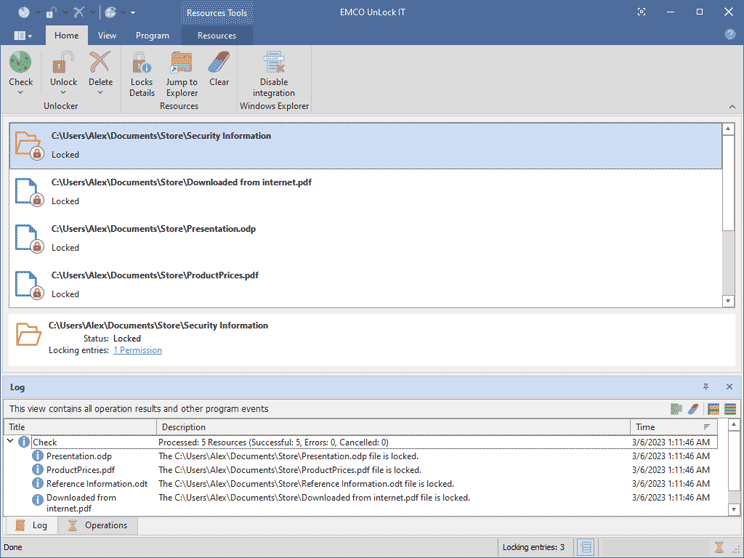
EMCO UnLock IT detects different types of locks that block resources management. If a resource is blocked by running processes and services, the program detects open file and library handles that block the resource and the processes that hold the locks. The resource can be unlocked by closing the handles and terminating the processes that hold locks if handles closing doesn't help to unlock the resource.
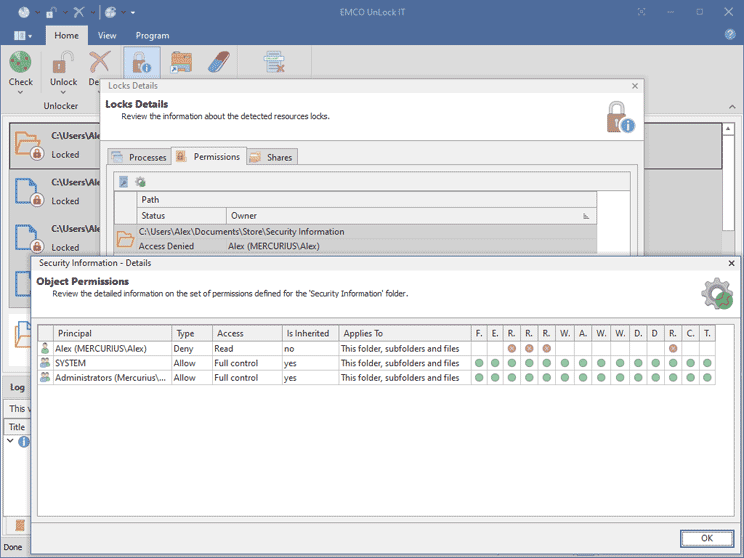
The same unlocking procedure is used to delete a locked file or folder. The program tried to unlock it first and schedule to delete on the next boot if the resource cannot be unlocked. If the problem is caused by insufficient permissions, the program grants the required permissions.
Key Features of EMCO UnLock IT
EMCO UnLock IT can detect locks and unlock files and folders on Windows x86 and x64 platforms. It is able to discover a different types of locks and use different approaches to release locks effectively and not affecting the working system.
Force Closing File Handles
The application allows to unlock a file by closing file handles to this file. This unlocking approach can be used to release a lock for files that are opened for modification. This approach is safe to use in most cases, because it doesn't require termination of a process that hold a lock.
Termination of Locking Processes
If a file can't be unlocked by closing file and library handles, the application allows to unlock it by terminating processes that hold locks. Even processes that are protected from termination can be terminated successfully, so approach can be used when you need to remove resources locked by viruses.
Deleting on the Next Boot
If you need to delete a file or folder, the program tries to unlock by closing the opened handles and terminating the locking processes. The unlocked resource is deleted. If unlock doesn't work, deletion is scheduled for the next boot of the PC. On boot deletion allows to safely delete the locked resources.
Integration with Windows Explorer
To check a resource for locks and unlock it you have to enter path to the resource in the application. In order to reduce actions required to check and unlock file or folder, you can integrate the application with the Windows Explorer and access its actions from the context menu.
Video Tour
Watch video tutorials to learn how to use the program.
How to unlock and delete locked files
How to investigate and unlock file system locks